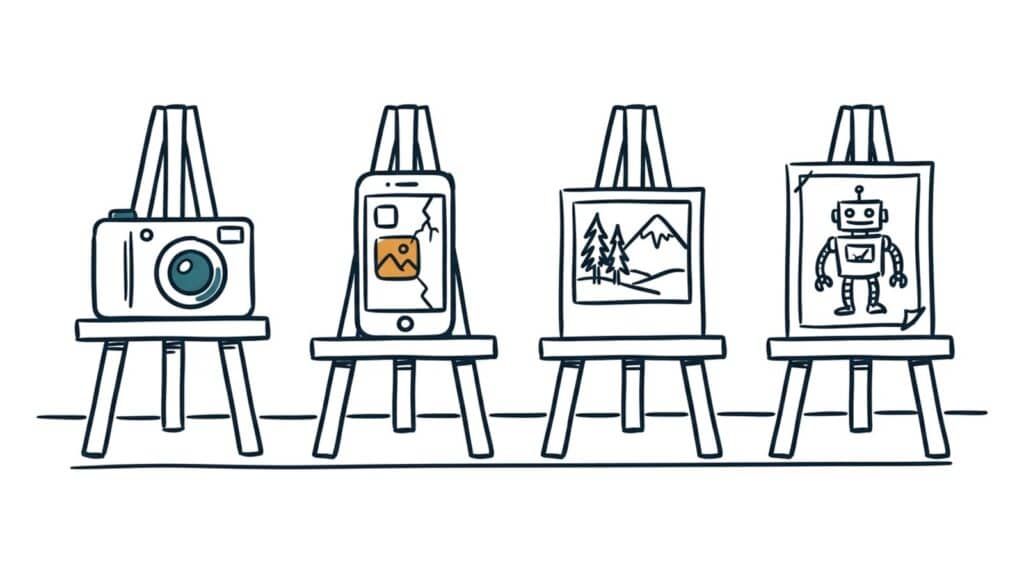
Every image on your website comes from one of four places: a photographer you hired, your own phone, a stock library, or an AI generator. Each route has a real cost, a real strength, and a failure mode nobody mentions at the moment of purchase.
Most businesses shouldn’t pick one. The right answer is usually a deliberate mix: professional shots where trust is earned, your own photos where realness matters, and stock or AI filling the conceptual gaps. Here’s the honest comparison.
Why this matters
Images are the first thing visitors process and the last thing most owners budget for, and that mismatch shows.
- Images carry the trust load words can’t. A visitor believes a photo of your actual crew on an actual job site in a way no paragraph achieves. The source of your images decides whether that belief is available to you.
- The wrong route wastes money in opposite directions. Some businesses pay a photographer for images stock could’ve covered; more put stock photos where only real ones work, like the About page. Both bills are avoidable.
- Generic imagery actively costs credibility. Everyone has seen the same smiling stock handshake. Recognizing a stock photo on your site tells a visitor you decorated instead of showed, and they discount everything nearby.
- This decision recurs forever. Websites, posts, and ads eat images monthly. A sourcing plan turns a recurring scramble into a routine.
The four routes, honestly
1. The professional photographer.
Expect roughly $300 to $1,500 for a half-day small business shoot, more in big markets. The strength: quality you can’t fake, shot to your brand’s imagery style, of your actual business. The weakness: cost and scheduling; it’s a project, not a habit. The failure mode: paying for the shoot and getting generic results because nobody gave the photographer a shot list. Use a pro for the images that carry money weight: your hero image, your team, your best work, your premises.
2. Do it yourself.
Modern phones shoot better photos than the cameras most stock libraries were built on. The strength: authenticity and zero marginal cost; you’re on the job site every day, which is exactly where the trustworthy photos happen. The weakness: inconsistency, in lighting, framing, and whether anyone remembers to shoot at all. The failure mode: six hundred unsorted photos and none usable when needed, which is what the image organizing system exists to fix. Use DIY for in-progress work, before-and-afters, and the steady drip of social content.
3. Stock libraries.
Free tiers (Unsplash, Pexels) and paid ones (Shutterstock and peers, roughly $10 to $30 per image on subscription). The strength: instant, polished, and fine for concepts you’d never photograph, like a generic city skyline or an abstract texture. The weakness: nothing in a stock library is yours; your competitor can run the identical image. The failure mode: stock people posing as your people. That’s the line: stock for things and concepts is workable, stock pretending to be your team or your work quietly poisons trust. Never on the About page.
4. AI generation.
A subscription you may already have, around $20 a month. The strength: custom images on demand, in a consistent style, of concepts that don’t photograph, and it’s how a small brand gets illustration-quality visuals that once required a designer; the AI image styles article shows the range. The weakness: AI can’t produce your actual truck, crew, or finished deck, and photoreal AI people on a local business site create the stock problem with extra steps. The failure mode: uncanny almost-real images where a real photo was owed. Use AI for illustrations, icons, and conceptual imagery in your brand style; be cautious using it to fake reality.
The pattern across all four: the closer an image is to a claim about you, this is us, this is our work, the more it must be real. The further it drifts toward concept and decoration, the cheaper the source can safely be.
Putting it to work
- Sort your image needs into proof and concept. Proof images, of your work, team, and premises, must be real: photographer or DIY. Concept images, for ideas and articles, can be stock or AI. Most businesses need fewer proof images than they fear and fewer concept images than they buy.
- Book one professional shoot a year, with a shot list. A single well-planned half day covers the hero, the team, and your best work, and feeds your website and profiles for a year. The prompt below builds the shot list; walking in without one is how shoots get wasted.
- Build the DIY habit into the work itself. One in-progress photo and one finished photo per job, from whoever’s already standing there. That’s a marketing library on autopilot.
- Give every route the same style direction. Photographer, your phone, and your AI prompts should all aim at the one imagery style you chose; that consistency is what makes a mixed-source library look like one brand.
- Retire the worst offenders this week. Find the stock photos standing in for your people and replace them with real ones, even imperfect ones. Real and slightly amateur beats fake and polished on a local business site.
One honest limit. Costs here are US ballparks that drift, and AI capability shifts by the quarter. The prices will age; the sorting rule, real for proof, generated or licensed for concepts, won’t.
Take this prompt with you
Copy this into ChatGPT, Claude, or Gemini and answer its questions. It produces your sourcing plan and a shot list you can hand to a photographer, or to yourself.
Build me an image sourcing plan and shot list for my business website.

My business: [what you do, and whether your work is physically visible: job sites, products, a location, or invisible like consulting]

My budget and gear: [rough annual budget for photography, and what I own: phone model, any camera]

My imagery style, if I've chosen one: [paste your style direction line, or "not chosen yet"]

Where images are needed: [website pages you have or plan, plus social platforms you post on and roughly how often]

Give me:

1. A sourcing map: every image location I listed, sorted into PROOF (must be real: photographer or my own photos) and CONCEPT (can be stock or AI), with the recommended source and one-line reason for each.

2. A professional shot list for one half-day shoot: 15 to 25 specific shots in priority order, each with what's in frame, where, and what it'll be used for, written so I can hand it to a photographer as-is. Include the 3 shots that matter most if time runs short.

3. A DIY capture routine: the 3 to 5 photos my team should take during normal work, described plainly enough to put on a checklist, with simple phone tips for each (light, angle, what to avoid).

4. My concept-image recipe: for the stock-or-AI images, tell me which route fits each one and give me ready-to-use AI prompts in my stated style for the AI ones.

5. The replacement list: ask me which pages currently use stock photos of people pretending to be my team, and put those first in line.

Be specific to my business, not generic. If my budget can't cover a photographer this year, say so and rebuild the plan around DIY + AI without pretending it's equivalent.